CONDITIONAL LOGIC
FREE

Ask the questions
that matter.

Show the right follow-up questions based on what people tell you. Keep each form relevant, from a quick enquiry to a more detailed request.
Field conditions included in Free.
TRY A LIVE EXAMPLE

A different answer. A different question.

Choose an enquiry type and watch the follow-up change.
What can we help with?
What would you like to build?
Current website
Your question
Showing the project follow-up.
Try a complete project enquiry →

Relevant follow-ups
All or Any rules
Field logic in Free
START WITH SOMETHING USEFUL

Keep the conversation relevant.

An earlier answer can guide what comes next. Ask for the detail you need when it becomes useful.

Leave room for a question

Keep a general enquiry simple, with space for the visitor to explain what they need.
YOUR FORM. YOUR WORKFLOW.

Choose the answer.
Set the follow-up.

Build your questions first, then add a condition to the field or section that should appear for a particular answer.
01

Choose a source answer

Use an earlier choice, text answer or another supported field as the starting point.
02

Set the condition

Choose Show or Hide, then decide whether all or any of your rules need to match.
03

Try every path

Save the form and change the controlling answers to check each follow-up.
Read the setup guide →
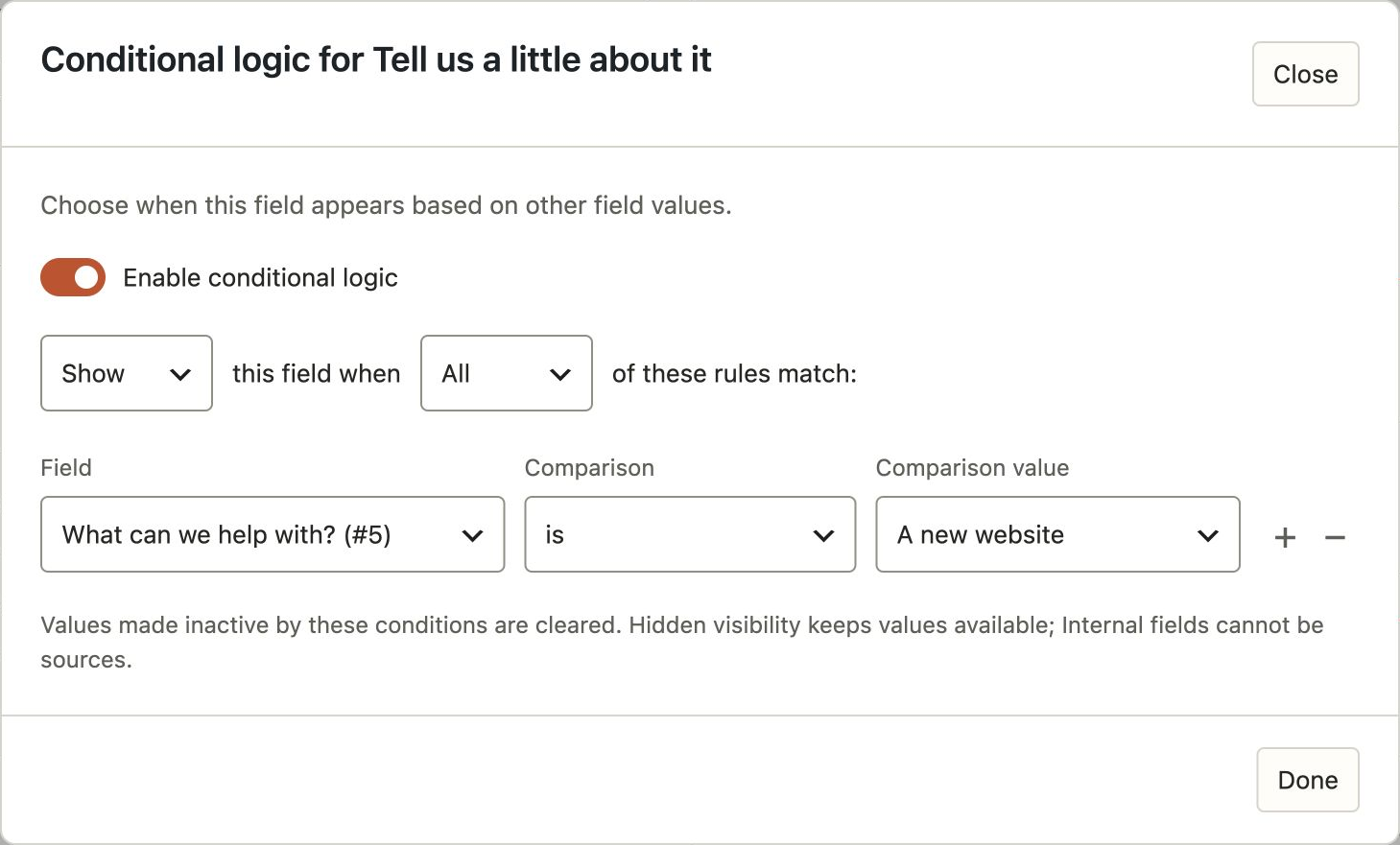
Show a follow-up question when an earlier answer matches a rule
Choose when a follow-up question appears.
PART OF THE WHOLE FORM

A little logic.
A more useful workflow.

Guide a group of questions

Apply a condition to a Section when several related questions should appear together.
PRO

Shape a longer form

Use page conditions to include the relevant steps in a multi-page form.
PRO

Choose the follow-up

Send matching notifications or choose a confirmation based on the answers received.
A FEW PRACTICAL ANSWERS

Before you get started.

Useful details about how this fits into your forms.
Is conditional logic included in Free?
Yes. Field Show and Hide conditions are included in Free. Conditional confirmations, notifications and multi-page workflows require Pro.
Can I use more than one condition?
Yes. Add several rules and choose whether all of them or any one of them must match.
Does a hidden question still need an answer?
A question hidden by its conditions does not need an answer for that submission.
Can I show a whole group of questions?
Yes. Add a condition to a Section to show or hide its related questions together.
A LITTLE LOGIC GOES A LONG WAY

Give every question a reason.

Start with field conditions in Free, or use Pro to bring relevant steps and follow-up into the same workflow.

Product screenshot

envelopefile-emptybubblebriefcaselinklistchevron-rightcheckmark-circlelayers