Skip to content
USER REGISTRATION
OFFICIAL ADD-ON

New accounts.
Familiar forms.

Welcome people with a registration form, choose how accounts activate and let signed-in users keep their own profile details up to date.
Included with the All Access Pass.
TRY AN INTERACTIVE EXAMPLE

A new account.
A clear next step.

Choose an activation method to explore the account journey.
Example name
Activation method
ILLUSTRATIVE WORDPRESS ACCOUNT
Jamie Taylor
Account created · Email verification required before sign-in
Illustration only. No account is created and no email is sent.
Try the registration form →
Create native accounts
Choose activation
Update account details
START WITH SOMETHING USEFUL

Let people join.
Give them a place to return.

Build the registration and profile forms around the details your website needs.

Welcome new members

Collect account and profile details through the same form builder you use for the rest of your site.

Review new accounts

Require email verification, administrator approval or both before a new account can sign in.

Keep profiles current

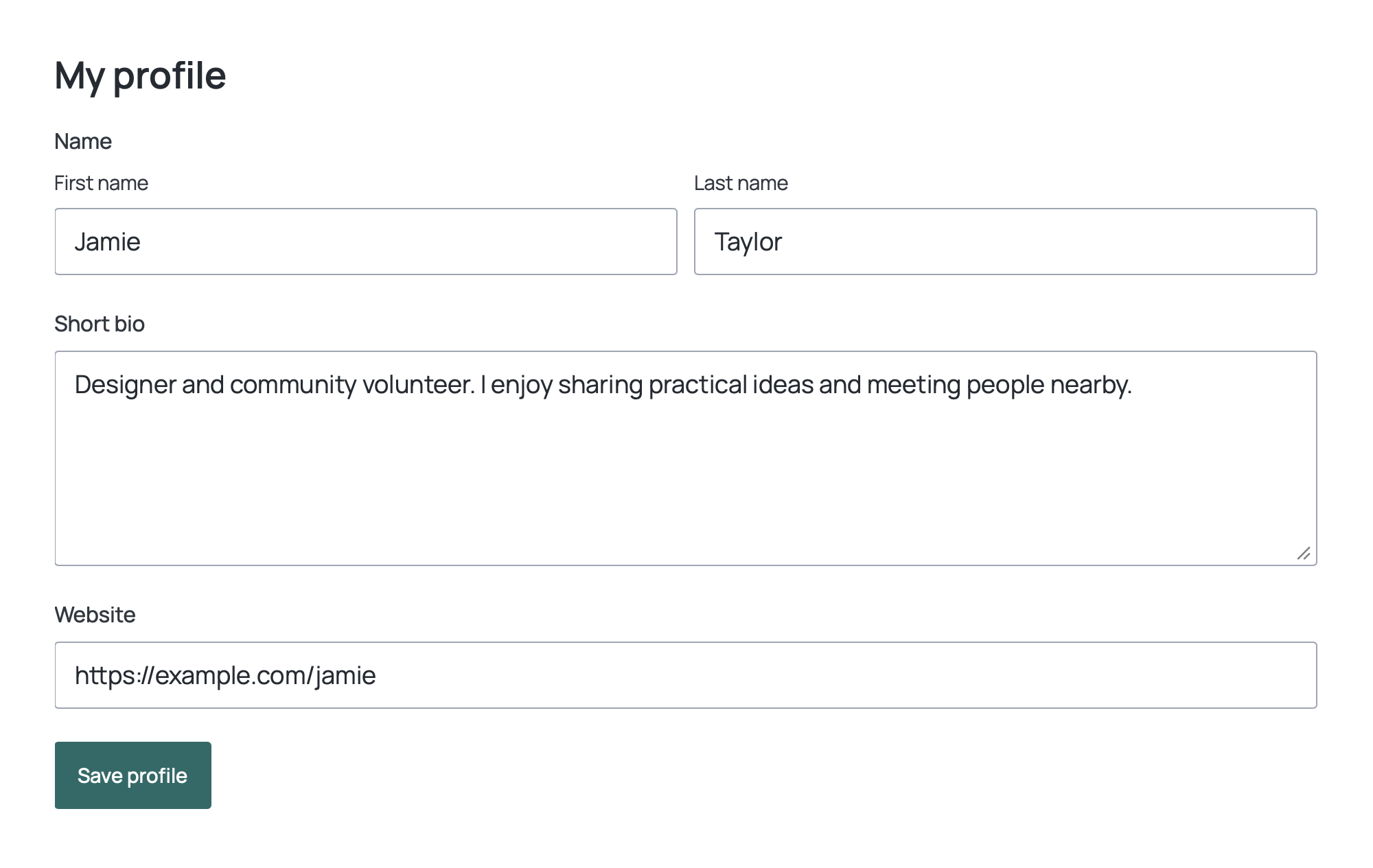
Let signed-in people update mapped account details, confirm a new email or change their password.

Inside the builder

YOUR FORM. YOUR WORKFLOW.

Collect the details.
Connect the account.

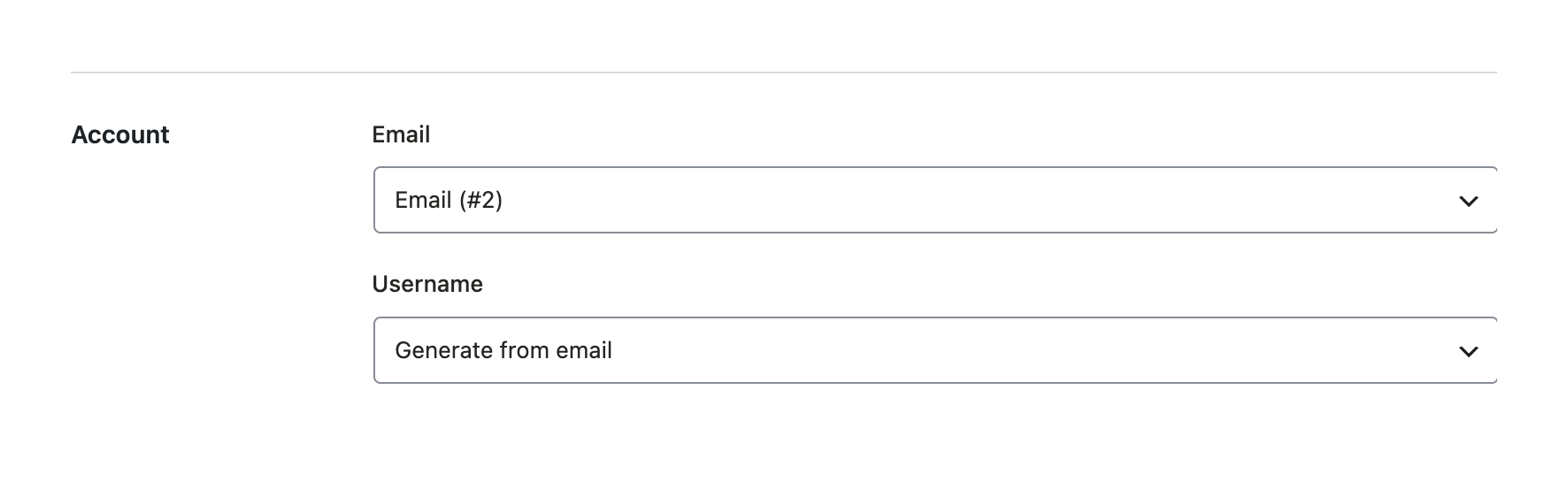
Configure Create user and Update Profile in their dedicated form settings, using the shared mapping controls.
01

Start with the right form

Choose the Register account or Update profile starter. Review its disabled action before enabling it.
02

Map details and choose access

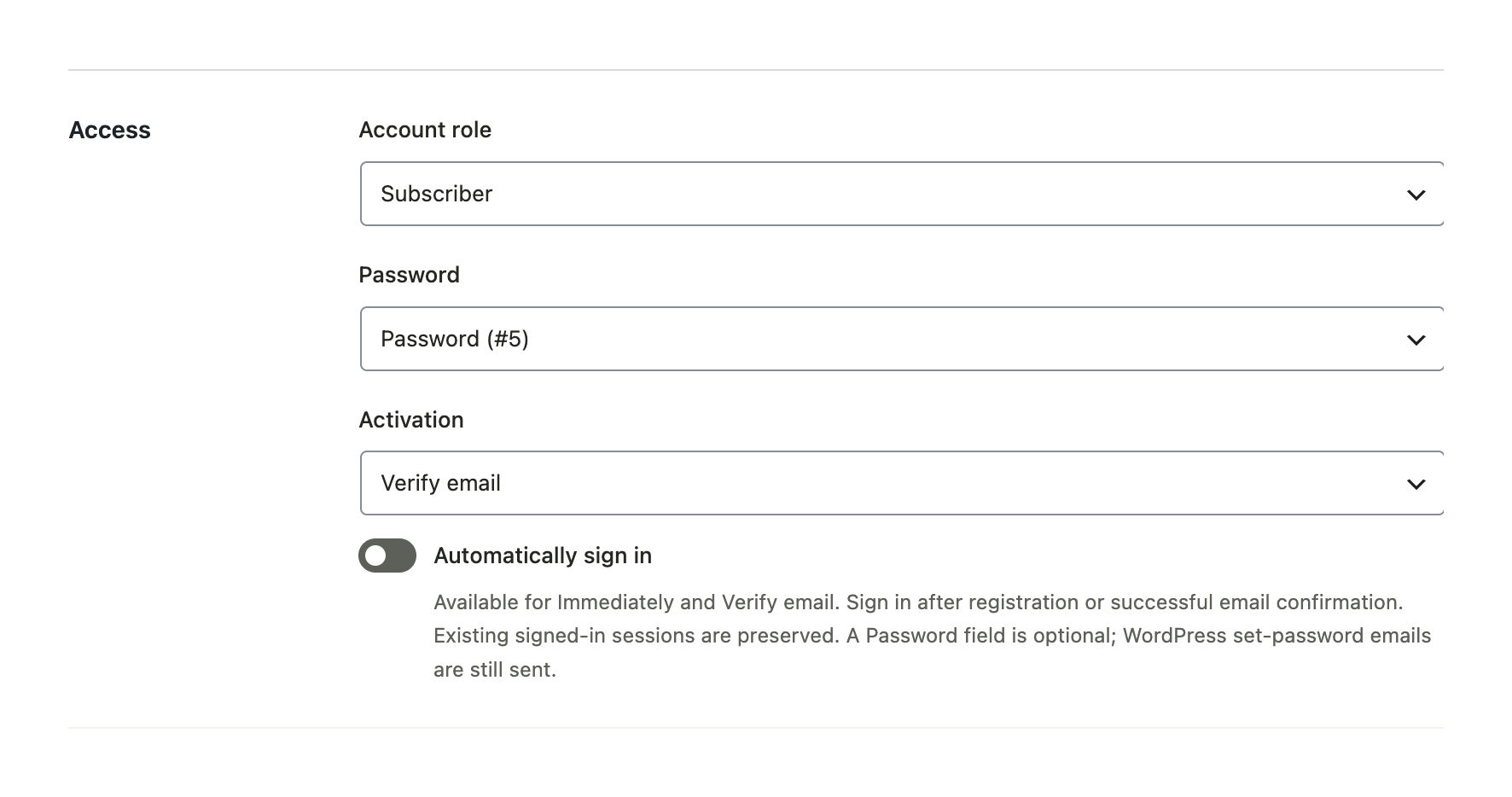
Choose the account or profile mappings, then configure activation for a new account or permitted updates for the signed-in person.
03

Check the complete journey

Test the saved form, account result, emails, verification and sign-in or profile update before sharing it.
Follow the complete setup guide →
EXAMPLE SETUP
Form answers → Account action → WordPress account
Create accounts or update the signed-in profile. Configure emails and verification pages to match the next step.
PART OF THE WHOLE SITE

Accounts that connect
to the rest of your workflow.

Create Posts

Let a newly registered account own content created by the same submission. Keep account activation and content review under their own settings.

Directory sites with GEO my WP

Collect member locations, accept content listings and let people maintain their details from the front end. GEO my WP brings posts and users into location search, results and maps.
A FEW PRACTICAL ANSWERS

Before people join.

Account creation, activation and profile editing in one connected workflow.
What does the add-on include?
Create native WordPress accounts and let signed-in people update their own mapped account details. User Registration and Update Profile have separate form settings. This separate add-on works with Free and is included in the All Access Pass.
When can a new account sign in?
Choose Immediately, Verify email, Administrator approval, or Verify email and administrator approval. The account is created during the accepted submission; sign-in remains restricted until its configured requirements are complete.
How do people set their passwords?
Use the native WordPress set-password link or map a dedicated Password field with the required strength rules. Readable passwords are not saved as ordinary entry answers or queued message values.
Can people update an existing profile?
Yes. Update Profile loads mapped details for the signed-in account and updates permitted properties. Username and role stay unchanged. Email or password changes require the current password, and a new email must be confirmed.
Can new accounts own submitted directory listings?
Yes. Create Posts can use Registered user from this submission as its author. Combine the account and content forms with GEO my WP for directories of posts and people, with front-end management, search results and maps.
Can registration automatically sign people in?
Yes. Automatically sign in is optional for Immediately and Verify email. Administrator-approval workflows use normal sign-in after approval. Existing signed-in sessions are preserved. Profile updates remain separate from editing an old form entry.

A LITTLE LOGIC GOES A LONG WAY

Make joining part
of the experience.

Bring registration, profile updates and the rest of your forms together with Logical Forms.
pencilenvelopefile-emptyusermap-markerchevron-rightcheckmark-circle